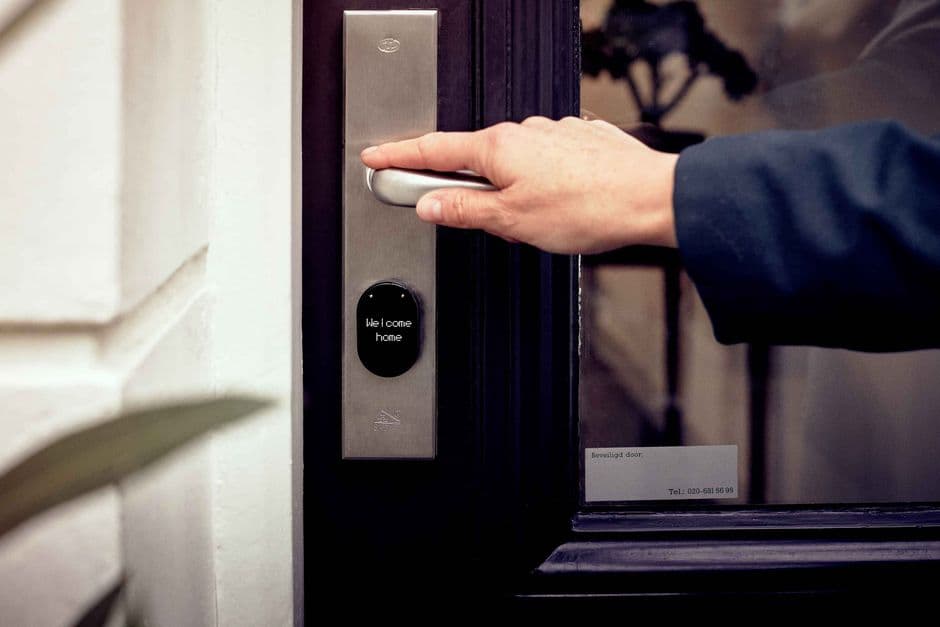
Every host who runs smart locks for vacation rentals learns the same lesson eventually: the lock is never the problem until 11 PM on a Friday, when a guest is standing in the rain and the code won't take. Self check-in is one of the highest-leverage upgrades you can make to a short-term rental — it frees you from key handoffs, lets guests arrive on their own schedule, and removes an entire category of bad first impressions. But only if the setup is built to fail gracefully.
The difference between a setup that quietly works and one that generates midnight phone calls comes down to four decisions — and none of them is which brand to buy.
Why self check-in became table stakes
Guests increasingly expect to walk from the car to the couch without meeting anyone. Flights land late, road trips run long, and nobody wants to coordinate a key handoff from an airport shuttle.
On Airbnb, self check-in is a filterable amenity, and the platform automates most of the flow for you: guests automatically receive your check-in instructions 24 to 48 hours before arrival, including the address and access details you've set in your listing's arrival guide.
For hosts, the payoff is bigger than convenience. Every hour you don't spend driving to hand over keys is an hour of margin. And if you also take reservations outside the big platforms — say, through your own direct booking website — a keyless setup means those guests get the same smooth arrival without you building a second process.
The four ways to do keyless entry, compared
Vendor names change every season; the categories don't. Here's how the four main approaches stack up on cost, power, and — most importantly — how they fail.
| Type | Typical upfront cost | Power / connectivity | How it fails | Best for |
|---|---|---|---|---|
| Key lockbox | $15–40 | None | Guest can't find it or fumbles the dial; code must be changed by hand | Hosts who live nearby, backup access |
| Standalone keypad deadbolt | $50–120 | Batteries only, no internet | Dead batteries; codes changed at the door, not remotely | Single unit, hands-on host |
| Wi-Fi / app-connected smart lock | $90–250 | Batteries + home Wi-Fi | Battery or router outage kills remote features (keypad usually still works) | Remote hosts, multiple units |
| Retrofit smart lock | $100–250 | Batteries + Wi-Fi or hub | Same as above; fits over existing deadbolt, so the original key still works | Renters-turned-hosts, doors you can't drill |
Two details worth knowing before you buy. First, most keypad locks store codes locally, so guests can still enter during an internet outage — Wi-Fi is for managing codes remotely, not for opening the door. Second, connected locks from major smart-lock makers can link directly to Airbnb: the integration generates a unique code per reservation that activates at check-in time and expires about 30 minutes after checkout, and it adjusts automatically if the guest changes their dates. That single feature eliminates the most common human error in self check-in: forgetting to update the code.
Code rotation: one booking, one code, no exceptions
Reusing a door code between guests is the keyless equivalent of never changing the locks after losing your keys. A past guest — or anyone they shared the code with — can walk in on the next one. The rule is simple: every booking gets its own code, and the code dies at checkout.
How you enforce that depends on your hardware:
- Connected lock with platform integration: codes are created and expired automatically per reservation. Verify the time zone on the lock's schedule matches the property, then leave it alone.
- Connected lock without integration: create a time-boxed guest code from the app when the booking confirms, set it to expire at checkout, and send it through the platform's message thread — not by SMS, so there's a record.
- Offline keypad: tie code changes to your turnover routine. The cleaner's checklist ends with "set new guest code, test it twice, photograph the confirmation." If the cleaner can't do it, the code change is yours before the next check-in.
- Lockbox: spin a new combination every turnover. It takes 30 seconds and it's the whole security model.
Give service providers — cleaners, maintenance — their own permanent codes, separate from guest codes. When someone leaves your team, you delete one code instead of re-keying your operation. An access log (standard on connected locks) also tells you exactly who entered and when, which is worth a lot if you're ever dealing with a damage dispute.
The backup plan: assume the lock will fail
Batteries die, Wi-Fi drops, keypads freeze in cold snaps, and occasionally a guest simply cannot make a door open. A self check-in setup isn't finished until each of these has an answer that doesn't involve you driving over at midnight.
- Dead batteries. Replace on a calendar (every 6 months is a safe habit for high-turnover units), not when the low-battery alert finally gets your attention. Keep spares in the property. Many keypad deadbolts also have emergency contacts for a 9-volt battery on the exterior — worth checking before you need it.
- Wi-Fi outage. Confirm your lock stores codes locally. If entry genuinely depends on a live connection (some app-only locks), that's the wrong lock for a rental.
- The universal fallback: a lockbox with a physical key. Mounted somewhere unobvious — not on the front door — with a combination you share only when needed. This is the $25 insurance policy that turns a lockout crisis into a two-minute phone call.
- A human fallback. A co-host, neighbor, or cleaner within 15 minutes who has access and answers the phone. You want to use them once a year; you want them to exist every day.
The guest instruction template
Most "the code doesn't work" messages are really "I'm at the wrong door" or "I didn't press the checkmark" messages. Clear instructions prevent them. Structure yours like this, and attach photos of the actual door and keypad — daytime and lit-at-night versions:
- Arrival and parking: where to park, which entrance to walk to, any gate codes on the way.
- Identify the door: one photo of the exact door, described by a fixed landmark ("green door to the left of the mailboxes").
- Enter the code, step by step: "Wake the keypad by touching it, enter the 4-digit code, press the check mark." Include the confirmation the guest should see or hear, and one common miss ("if it beeps three times, wait 10 seconds and try again slowly").
- If the code doesn't work: two self-serve fixes first (re-lock and retry; check you're at the door in the photo), then "message me — I can open the door remotely" or the backup lockbox instructions.
- Once inside: Wi-Fi name and password, thermostat, anything that beeps.
- Emergency contact: your number and your backup person's, with hours.
Keep the code itself out of any public-facing text and let the platform deliver it on schedule. Sending codes weeks early through unsecured channels defeats the point of rotation.
Common mistakes that undo the whole setup
Most self check-in failures aren't lock failures. They trace back to setup habits — a factory code left active, or a single code shared by everyone.
- Leaving the factory master code active. Change or disable it on day one — default codes are printed in manuals anyone can download.
- One code for everyone. Guest, cleaner, handyman all on "1234" means no access log and no way to revoke one person.
- Forgetting the check-in method in your listing. If the listing still says "host greets you," the platform won't send your self check-in instructions at the right time.
- No weather plan. Cold drains batteries faster and touchscreens get sluggish; exposed keypads in harsh climates need a cover or a sheltered mounting.
- Testing from your own phone only. Your app opens the door; your guest's fingers on the keypad are the real test. Run the physical flow after every code change.
- Buying tech you won't maintain. A $250 connected lock with dead batteries is worse than a $25 lockbox that's checked every turnover.
Which setup actually fits you
An honest way to decide: if you live within 10 minutes of a single unit and enjoy being hands-on, a standalone keypad deadbolt plus a backup lockbox covers you for under $150, and code rotation is a 60-second turnover task.
If you host remotely, manage more than one unit, or coordinate cleaners across changeovers, the math flips — a connected lock with per-booking code automation removes a recurring manual task and a recurring way to fail, which is worth the $90–250 and the battery calendar. Either way, the backup lockbox is non-negotiable. The goal isn't the smartest lock; it's the arrival that never generates a phone call.

